How I Code in 2026 #2: GitHub Integration
🇦🇷 Clickeá acá para leer este artículo en español.
Both in my consulting work and personal projects, I use git and specifically GitHub as my main infrastructure for tasks (issues), pull requests, and code repository. I've always been a big fan of automating everything possible using the gh command to interact with everything from the command line. This workflow works seamlessly with Claude Code, and in fact, in my opinion, it's the best way to use GitHub.
GitHub Projects and Sprints
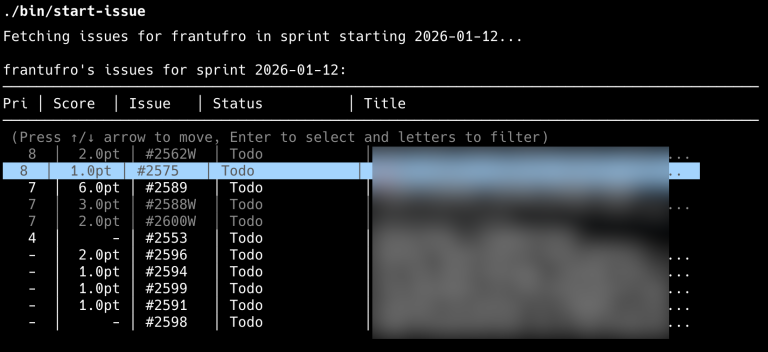
I typically use GitHub Projects with a prioritized and ordered list of tasks, as one should. I have a TUI1 script that fetches the list of issues assigned to me in the current sprint. I select what I want to work on and the script automatically creates a worktree, copies configuration files, databases, and everything needed to start working.
Git Worktrees
If you're not familiar with them, git worktrees are a way to have multiple working copies of the same repository without having to clone everything again. Each worktree is a separate folder with its own branch, but they're all connected to each other through the same .git.
Each issue has its own worktree, its own database copy, and its own branch. When working on web projects, I use the issue number as the development server port, so there's no collision with other worktrees. The main idea is to be able to work on multiple things at once without them stepping on each other.
The script I mentioned earlier creates the worktree automatically and copies everything needed. When the PR gets merged, I have another script that cleans up worktrees from merged PRs.
Connecting Claude Code with GitHub
In my CLAUDE.md I have a convention for naming branches: [issue-number]-branch-name. This allows me to simply tell Claude "read the issue description" and it knows where to find the issue number from the branch name.
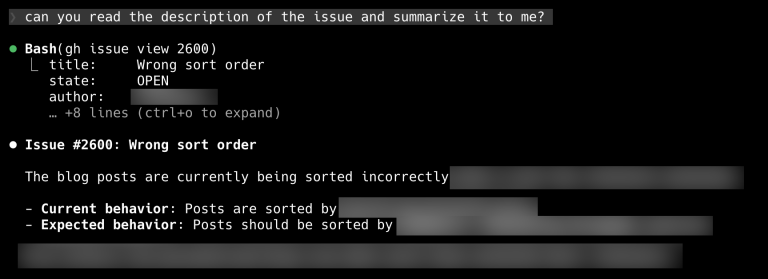
Once Claude has the issue information, the requirements definition workflow begins. But I'll cover that in the post about specifications.
Interactive Rebase with Claude Code
This is something that surprised me: Claude Code is very good at interactive rebase. It's excellent at identifying what the final state of conflicts should be.
The trick is to tell it to ask me if it has doubts and not assume anything. Sometimes conflicts are ambiguous and it's better to ask before making an incorrect decision.
GitHub Actions
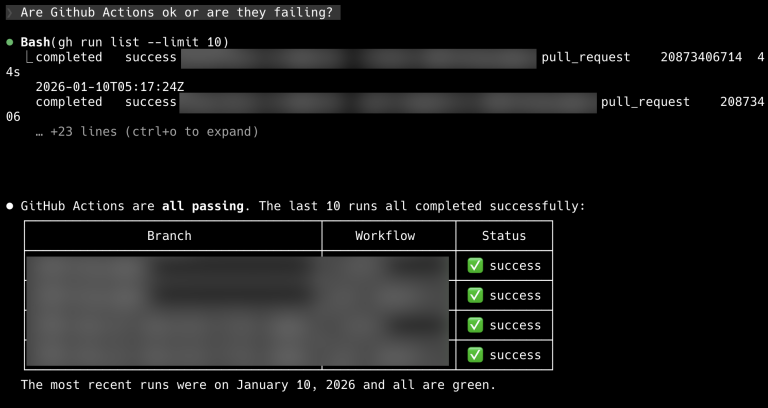
Claude Code can directly read GitHub Actions results. When a pipeline fails, I tell it to review the errors and fix them.
I also use pre-commit hooks extensively to avoid pushing problematic code, but I'll expand on that in the post about code review.
Future
There are things I still want to automate:
- Automatic releases: I'm currently doing tags and releases by hand when deploying to Render.
- Render integration: production deployment is "manual" (just a button though, nothing crazy).
I want to improve this by automating everything with a bin/deploy command that generates tags, releases, and triggers deployment to the appropriate services on Render. It's still manual, but with a single script that does everything, and I'll be able to tell Claude Code "deploy to production and check that everything is fine on Render" (Render has an MCP server and a CLI, so it should work one way or another).
What's Next
With the GitHub workflow integrated, I have everything I need to pick a task and start working. But before writing code, there's a crucial step: defining what we're going to build.
I mentioned earlier that I ask Claude to read the issue description. But a GitHub issue rarely has all the information needed to implement something well. That's where specifications come in: documents I write with Claude where we define exactly what needs to be done, how it should behave, and what edge cases to consider.
In the next post I'll cover how I use Claude Code to generate and refine specifications before writing a single line of code.
-
TUI stands for Text User Interface, a graphical interface in the terminal. ↩